Parallax Scrolling Backgrounds
Parallax is one multiplication per layer, but the numbers, the seams and the jitter decide whether it reads as depth or as wallpaper sliding around.
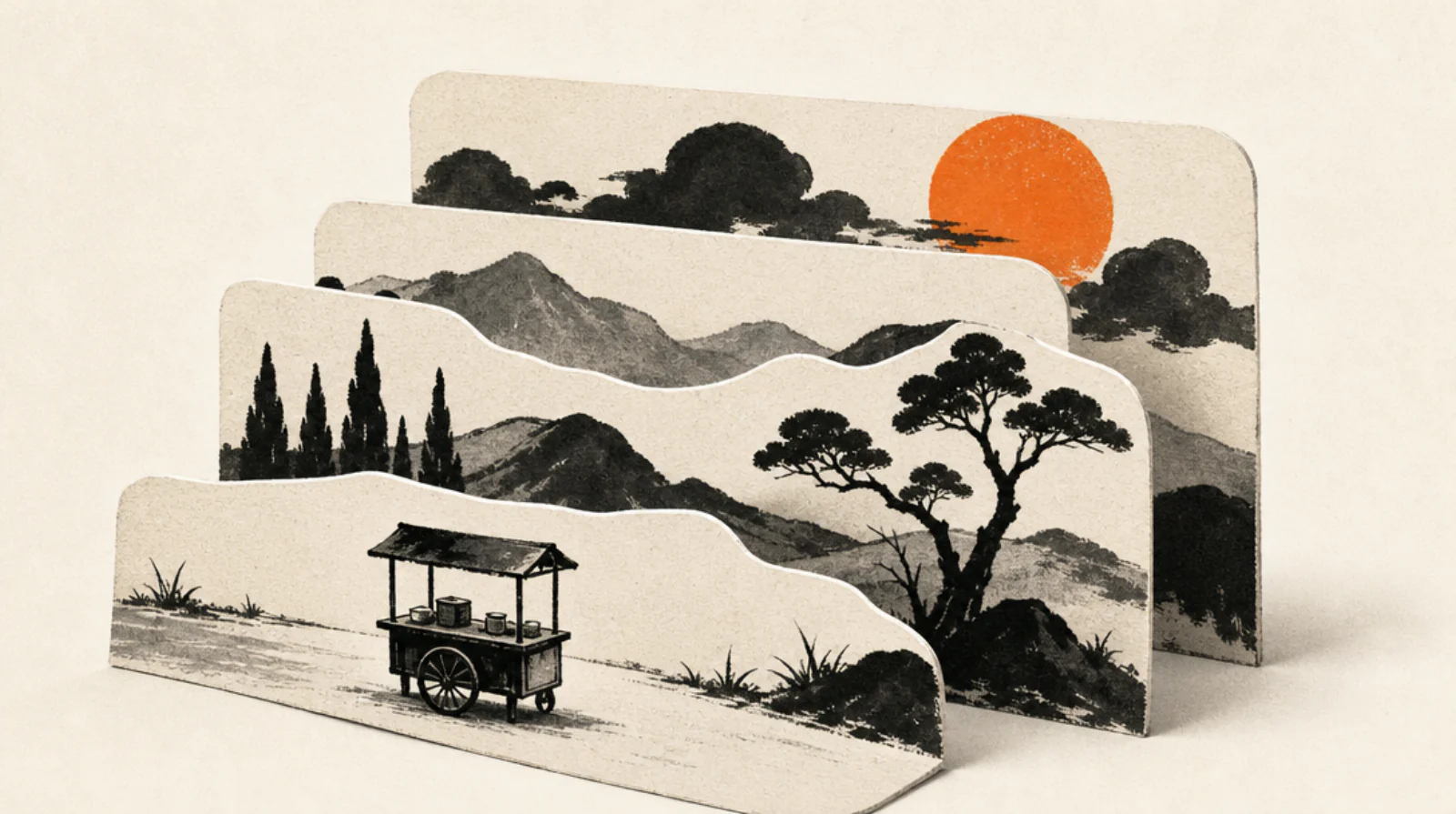
Key takeaways
- Each background layer moves at a fraction of the camera: about 0 for the sky, 0.1 to 0.2 for mountains, 0.3 to 0.6 for hills, 1 for gameplay and 1.2 to 1.5 for a sparse foreground.
- Tile layers with a modulo on their offset so they never run out, and snap the final position to whole pixels so pixel art does not shimmer.
- Far layers should be lighter and less saturated, the foreground should never hide hazards, and players who ask for reduced motion should get flatter layers.
Parallax scrolling is a 2D trick that fakes depth by moving background layers slower than the camera. Each layer gets a scroll factor: its position is the camera's position multiplied by that factor. A sky at 0 stays put, mountains at 0.15 creep along, hills at 0.4 move faster, and the gameplay layer at 1 moves exactly with the camera. The eye reads the speed difference as distance, the same way telephone poles rush past a train window while the hills barely move.
That is the whole mechanic. What makes it look good or cheap is the choice of factors, how the layers repeat, whether they jitter, and whether they stay out of the player's way. This guide covers each of those, with starting values.
The math: one multiplication per layer
For a camera at position `camX`, a layer with factor `f` is drawn at `-camX × f`. Most engines make that easier by keeping background layers outside the world container that the camera moves, and offsetting each layer by hand every frame. Vertical parallax works the same way with `camY`, but give it a smaller factor than horizontal (often half), because players are much more sensitive to backgrounds bobbing up and down every time they jump.
Starting scroll factors
- Sky and sun: 0 to 0.05. Effectively infinite distance. A tiny factor stops it looking painted on the screen glass.
- Far mountains or city skyline: 0.1 to 0.2. The layer that sells scale.
- Mid hills or buildings: 0.3 to 0.6. The busiest background layer, usually with the most detail.
- Near background (trees just behind the path): 0.7 to 0.9. Optional, and easy to overdo.
- Gameplay layer: exactly 1. Anything the player collides with lives here. Never put collidable things on a parallax layer.
- Foreground (grass tufts, pillars, branches in front): 1.2 to 1.5. Moves faster than the camera, which reads as very close. Use it sparingly.
Three or four layers is plenty. Five is where it starts to cost real draw time on phones without anyone noticing the fifth. Spread the factors out: layers at 0.3 and 0.35 look like one layer that is slightly broken.
Making layers repeat forever
A layer at 0.15 in a level 10,000 pixels long only needs to be 1,500 pixels wide plus a screen. But endless runners and long levels need layers that repeat. The standard approach is a tiling sprite: a texture that wraps, with its offset set to `(-camX × f) mod textureWidth`. Every 2D engine has one (PixiJS calls it TilingSprite). The modulo keeps the number small so floating-point precision never degrades after a long run, which matters in an endless runner where the camera may travel millions of pixels.
The texture has to tile cleanly: its left edge must continue its right edge. Ask for that explicitly when generating art, then check the seam by scrolling slowly. A visible seam on a far layer is forgivable; on a mid layer it shows up every few seconds and looks like a bug.
Variety without a giant texture
A 2,048 pixel strip that repeats every few seconds becomes noticeable on long runs. Two cheap fixes: give layers widths that do not share a common multiple (1,800 and 2,300 pixels) so their repeats drift relative to each other, and scatter a few separate props (a windmill, a tower) on a layer at random intervals instead of baking them into the strip. The eye looks for landmarks; random landmarks hide the loop.
Jitter, shimmer and seams
The most common parallax complaint is not about speed. It is that the background shimmers. A layer at factor 0.15 moves 0.6 pixels when the camera moves 4, and pixel art drawn at fractional positions blurs or wobbles between neighboring pixels.
- Round the final offset to a whole pixel (or a whole pixel of the art, if the game scales art up 3x). Round once, at the end, after the multiplication, not the camera position first.
- Use nearest-neighbor filtering for pixel art layers and linear filtering for painted ones. Mixing them on one layer gives fuzzy edges next to crisp ones.
- Smooth the camera, not the layers. If the camera itself snaps around, every layer amplifies or dampens that jitter differently, and the result looks like the layers are fighting. A smoothed camera with a small deadzone (see our camera guide) fixes most parallax jitter at the source.
- Overlap tiles by a pixel when a layer is built from multiple pieces, or extrude the texture edges, to stop hairline gaps appearing at some zoom levels.
Depth that helps instead of hurting
Parallax is decoration, so it must never compete with the gameplay layer. Painters have a rule for this called atmospheric perspective: far things are lighter, bluer and lower in contrast. Apply it literally. The far layer should be the palest, mid layers a step darker, and the gameplay layer should have the highest contrast and the strongest outlines on screen. If a player ever tries to stand on a background ledge, the background has too much contrast.
- Foreground layers must not hide hazards. Keep them sparse, put them below or above the player's path, and fade them to partial transparency when the player passes behind.
- Do not reuse gameplay colors in the background. If spikes are red, no red in the hills.
- Keep detail low on fast layers. A busy foreground at factor 1.4 is a strobe light.
- Respect reduced motion. Some players get motion sickness from strong parallax. Read the browser's reduced motion preference and drop to one or two flatter layers when it is on. Our accessibility basics cover the rest of that setting.
Cost on phones
Every full-screen layer is a full-screen draw, and on phones the bottleneck is often fill rate: how many pixels the GPU paints per frame. Four layers that each cover the whole screen with partial transparency means painting the screen four or five times. Some practical limits:
- Opaque sky. The back layer should be fully opaque so nothing is drawn behind it, ideally a gradient or a solid color rather than a big texture.
- Crop transparent space. A mountain layer that is 70 percent empty sky should be a strip covering only the bottom part of the screen, not a full-screen image.
- Reasonable texture sizes. Keep layer textures at or below 2,048 pixels on their long side; very large textures can fail or slow down on older phones.
- Watch the Perf view. In a Startbase game, the engine panel has Console and Perf views; check frame time on a real phone after adding a layer, not only on a laptop. See making web games smooth on phones.
How parallax combines with other systems
Camera lookahead and zoom. If the camera zooms, layers should zoom by their factor too (a far layer barely scales), or the illusion breaks on the first zoom. Day-night tints apply per layer: far layers shift color first and furthest, which looks more natural than one tint over everything. Weather usually wants its own layers: rain in front at factor 1.2 and a slower rain behind at 0.6 feels deep with almost no cost. Vertical levels (a tower climb) need vertical parallax as the main axis, with tall tiling textures. 3D games get real parallax for free from perspective, so the equivalent there is a distant skybox and fog, not layers.
In a Startbase game, what the game draws in code around the level (a sky, far hills) is its backdrop. It shows in the World Editor while you lay out the level but is not something you drag around there; the editor offers to ask the agent to turn parts of it into placeable things. So the parallax layers themselves are a job for the brief and for dials.
A brief to paste
Add parallax backgrounds to my 2D side-scroller. Four layers behind the gameplay: a gradient sky with a sun (factor 0.02), far snowy mountains (0.15), pine hills (0.4) and near bushes (0.8), plus a sparse foreground of grass tufts at 1.3 that fades to 50 percent opacity when the player is behind it. Layers tile forever using a modulo on the offset. Vertical parallax is half the horizontal factor. Round final layer positions to whole pixels and use nearest-neighbor filtering. Far layers are paler and lower contrast than the gameplay layer. When the device asks for reduced motion, keep only the sky and hills. Expose every layer factor and the vertical ratio as dials.
Once it runs, open the engine panel and drag the factors while walking slowly. If the hills feel like they are sliding on ice, lower their factor; if the scene feels flat, spread the layers further apart. Then play on a phone through the preview to check the frame rate held.
Frequently asked questions
How many parallax layers should a 2D game have?
Three or four background layers plus an optional foreground covers almost every game. More layers cost draw time, especially on phones, and the difference past four is rarely visible.
Why does my parallax background jitter?
Usually because layers are drawn at fractional pixel positions or the camera itself snaps. Smooth the camera, then round each layer's final offset to a whole pixel and use nearest-neighbor filtering for pixel art.
Should parallax layers have collision?
No. Anything the player can touch belongs on the gameplay layer at factor 1. A background layer moves at a different speed, so its collisions would not line up with what the player sees.
Does parallax work in 3D games?
A 3D camera produces real parallax from perspective. The 3D equivalent of a far layer is a skybox or distant scenery with fog, not a scrolling strip.

