Pathfinding in Games: Grids and A* Explained
Pathfinding is how enemies and units find their way around walls. Here is A* in plain words, the grid settings that matter, when to switch to flow fields and the bugs that make units look stupid.
Key takeaways
- A* on a grid handles almost every small game: it explores the most promising tiles first and finds the shortest path quickly.
- Pathfinding finds a route; steering follows it. Smooth the path and steer toward a point a little ahead, or units walk like robots.
- For dozens of units heading to one goal (tower defense, swarms), compute one flow field instead of one path per unit.
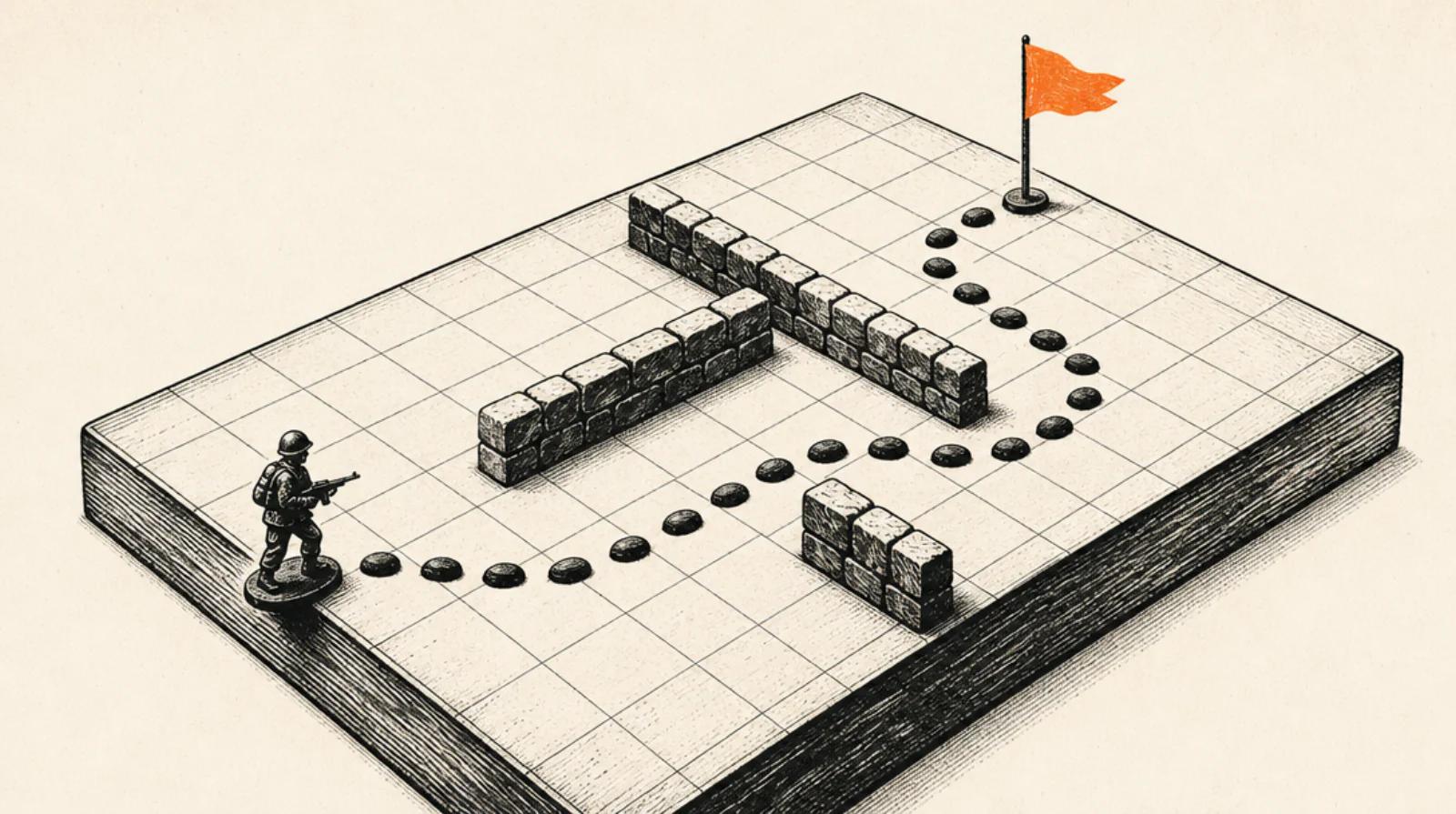
Pathfinding in games is the job of finding a walkable route from where a character is to where it wants to go, around walls and obstacles. Most 2D and many 3D games do it by dividing the world into a grid of walkable and blocked cells and running A* (pronounced "A star"), an algorithm that searches outward from the start but always tries the cells that look closest to the goal first. It is fast, it finds the shortest path, and a basic version is under a hundred lines. The tricky parts are the grid settings, making the result look natural, and the edge cases.
How A* works, in plain words
Picture spreading out from the start cell. For every cell you reach, keep two numbers: g, the real cost of the cheapest way you have found to get there, and h, a guess of how far it still is to the goal (the heuristic). A* always expands the cell with the smallest g + h next. Cells that are cheap to reach and point toward the goal get explored first, so the search runs mostly in a narrow band toward the target instead of flooding the whole map.
- 01Put the start cell in an "open" list with g = 0.
- 02Take the open cell with the lowest g + h. If it is the goal, walk back through each cell's parent to build the path.
- 03Otherwise look at its neighbors. For each walkable one, compute g through this cell. If that is cheaper than what the neighbor had, record the new g and set this cell as its parent, and add it to the open list.
- 04Mark the current cell closed and repeat. If the open list empties, there is no path.
The heuristic must never overestimate the true distance, or A* can return a path that is not the shortest. Match it to how units move: Manhattan distance (dx + dy) for four-direction movement, octile distance (the longer axis plus about 0.414 times the shorter) for eight directions, and straight-line distance for free movement. Using a priority queue (a binary heap) for the open list instead of sorting an array is the difference between 1 millisecond and 30 on a large map.
The grid settings that decide how it looks
- Cell size: match the smallest gap a unit should fit through. A common start is one cell per tile, or half a tile if characters are smaller than a tile. A 100 by 100 grid (10,000 cells) is comfortable for A* on a phone; at 500 by 500, search only when needed and cache results.
- Four or eight directions: eight looks more natural. Diagonal steps cost about 1.414 (the square root of two) against 1 for straight steps; giving diagonals a cost of 1 makes units zigzag.
- No corner cutting: forbid a diagonal step when either of the two cells it passes between is blocked, or units clip through wall corners.
- Movement costs: cells can cost more than 1. Mud at 3, roads at 0.5, a doorway near a trap at 5. Units then prefer roads and avoid danger without any special code.
- Unit size: a large unit needs wider gaps. Either inflate obstacles by the unit's radius in a separate grid per size class, or store at each cell how much clearance it has.
From a path to natural movement
A raw A* path is a chain of cell centers, and a unit that walks to each one in turn looks like it is on rails. Two fixes cover most of it. Smooth the path by removing points you can see past: from each point, skip ahead to the farthest later point with a clear straight line (a line-of-sight check on the grid). Steer, do not snap: move toward a point about one to two cells ahead along the path, turning at a limited rate, and accept "arrived" within a small radius (around a third of a cell) instead of exact positions, which otherwise cause jitter around each point.
Units also need to avoid each other. A light separation force (push away from neighbors closer than about 1.2 times their radius) stops crowds from stacking into one sprite. It will not solve a narrow corridor with units going both ways; for a small game, letting units briefly pass through each other is usually better than a traffic jam.
When to recompute, and the bugs it causes
- Recomputing every frame: the classic performance bug. Recompute a chasing path a few times a second (every 0.25 to 0.5 seconds), when the target moves more than a cell or two, or when the map changes. Stagger units across frames so they never all search at once.
- Unreachable targets: the player stands on an island or behind a locked door. A* explores the entire map, then fails, every recompute. Cap the search (for example 2,000 to 5,000 cells), and fall back to moving toward the closest reachable cell.
- Goal inside a wall: a click or target lands on a blocked cell. Snap the goal to the nearest walkable cell before searching.
- Stale paths: a door closes or a tower is placed on the route. Invalidate paths that cross changed cells, not every path.
- Oscillation: two equally good routes, and the unit flips between them on each recompute. Prefer the current path unless the new one is clearly shorter (by around 10 to 20 percent).
- Tower defense mazes: the player blocks the only path. Run a path check before allowing a placement, and refuse it if the exit becomes unreachable.
Flow fields and navmeshes
When many units share one goal (every enemy walking to the base in a tower defense game, a zombie swarm chasing one player), run a single search outward from the goal over the whole grid instead. Each cell stores its distance to the goal; each unit just steps toward the neighboring cell with the lowest number. One search per change serves hundreds of units, and units naturally spread across parallel routes.
In 3D games and large open 2D levels, a navigation mesh replaces the grid: the walkable floor is split into polygons and A* runs over the polygons, followed by smoothing. It handles slopes, stairs and odd shapes far better than a grid. Three.js does not include one, so a 3D web game uses a small library or a coarse grid over the floor. For a first 3D game, a grid over flat arenas is usually enough.
How pathfinding combines with other mechanics
Pathfinding is the legs; behavior is the brain. A state machine decides whether a guard patrols, chases or searches (see enemy AI that feels smart), and pathfinding gets it there. Movement costs let one grid serve several needs: a stealth game raises the cost of lit cells so guards prefer shadows, and fog of war usually lets units path through unexplored cells as if open, because hiding the map should not reveal it through routes. Click-to-move controls in top-down and strategy games use the same A* for the player character. When levels are laid out by hand in the World Editor, build the grid from the level's colliders at load, so moving a wall updates the routes without anyone editing a grid by hand.
A pathfinding brief to paste
Add grid pathfinding to my 2D top-down game. Build a walkability grid at level load from the level colliders, one cell per tile, with costs per cell (floor 1, mud 3, road 0.5). Use A* with 8 directions, diagonal cost 1.414, octile heuristic, no corner cutting, and a binary heap for the open list; cap searches at 4,000 cells and fall back to the nearest reachable cell. If a target lands in a wall, snap it to the nearest walkable cell. Smooth paths with line-of-sight checks, and steer enemies toward a point 1.5 cells ahead with a limited turn rate; arrived within 0.3 cells. Chasers recompute every 0.4 s, staggered across frames, or when the player moves more than 2 cells; keep the current path unless the new one is 15 percent shorter. Add light separation between enemies. Add a debug toggle that draws the grid, searched cells and each path.
For a swarm game, add one line to that brief: "for enemies chasing the player, use a flow field from the player's cell updated twice a second instead of per-enemy A*". Then test on a phone with the most enemies your game will ever have, since performance on phones is where pathfinding costs first show up.
Frequently asked questions
What is A* pathfinding?
A* is a search algorithm that finds the shortest path between two points on a grid or graph. It explores cells in order of the cost so far plus an estimate of the remaining distance, so it heads toward the goal instead of searching everywhere.
Is A* fast enough for a browser game?
Yes, for typical grids of tens of thousands of cells, especially with a priority queue, a search cap and paths recomputed a few times a second instead of every frame. Many units with one shared goal should use a flow field.
What is the difference between A* and a navmesh?
A* is the search algorithm. A navmesh is a way to describe walkable space as polygons instead of grid cells. Games often run A* over a navmesh, especially in 3D, and over a grid in 2D.
Why do my units zigzag or get stuck on corners?
Zigzags usually come from diagonal steps costing the same as straight ones, or from following raw cell centers. Give diagonals a cost of about 1.414, smooth the path with line-of-sight checks, and forbid diagonal steps past blocked corners.

